
Join Now Panel
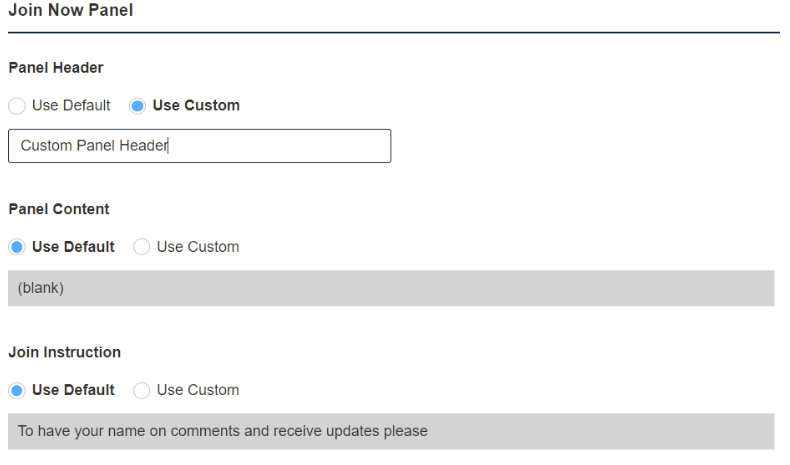
Click on the ‘Join Now Panel’ tab to customize the Login panel found on the Info Pages.
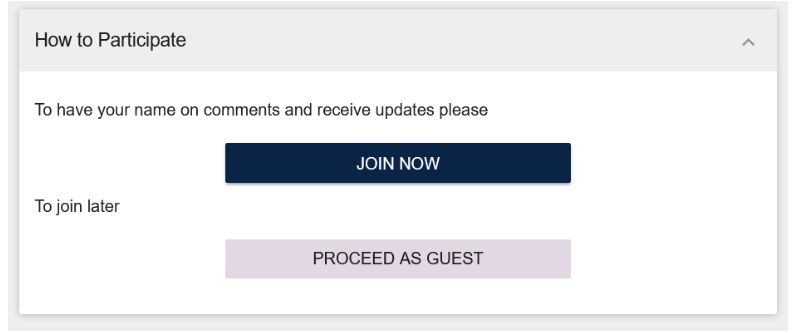
Below is the image of how the Login panel looks on the decision page with the default content.
Select the ‘Use Custom’ radio buttons to type the custom content for each specified field.
Note: Decision Admin must enable the ‘Show Join Now Panel’ found on the Info Page for the Join Now panel to show on the info page.
In addition, you can also edit the Title and Content displayed to Logged in Users by customizing items under the ‘Already Joined Panel’ section found at the bottom of the ‘Join Now Panel’ tab.

Click the ‘Save’ at the end of this page to save your changes.