
As an Administrator, you will oversee all the aspects of a Decision - starting from the Ideation phase and ending with the creation of a Final Report. In this section of the tutorial, we will walk through each of the major steps in an Ethelo engagement process.
Ideation
The first step to configuring an Ethelo Decision is Ideation; which refers to defining the potential components of group decisions to be made. These elements include the underlying issues, options, constraints, and criteria that the Ethelo algorithm will use to create the online collaboration environment, the corresponding web tools, and the space of potential scenarios that this environment and tools will be used to explore.
Configuration
The Configuration phase is the most important aspect of this tutorial and will take up most of the time. Here you will learn everything from creating a New Decision, managing its Pages, creating Options and configuring Voting Constraints to designing the aesthetic appearance of your Decision to create the kind of engagement experience you would like participants to have.
Once the Ethelo project is configured, people can participate.
Participants Engage
Join

Navigation
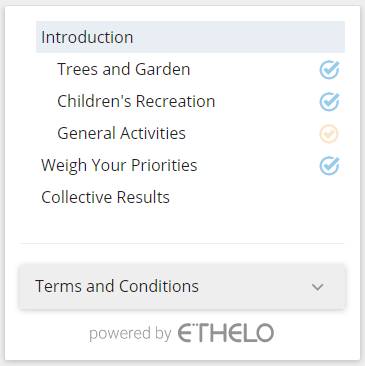
a progress bar on the top of the page indicates how much of the overall process has been completed.

Results
The Group Results are the results of the Ethelo Engine's analysis of the decision data provided by participants and the various settings in the admin panel.
The Group Results page presents the analysis of the Options and Scenarios and includes various metrics to sort and rank them as well as a crowd and a bar-chart visualizations.
The following metrics are generated for each Option and Scenario:
- Ethelo Score: The Ethelo Score is aimed at predicting the likelihood of success of a decision, or the "strength" of a decision. It considers both support (higher is better) and conflict (lower is better, especially if fairness is important).

- Support: the average score of the votes, where the score of totally supporting an Option is 100, and the score of totally opposing an Option is 0.
- Approval: Approval is the percentage of people who gave a positive vote rather than a neutral or negative vote. Approval above 50% is a traditional "majority".
- Conflict: Conflict is a measure of the level of disagreement in a group. Higher conflict scores represent internal resistance and risk of failure.
Final Report
After all the participants have provided their input and the Decision period is over, the administrator will create a Final Report displaying the collective results and participants' individual input.