
Now that you know the basic building blocks of the platform, you can begin to learn the process of configuring an Ethelo Decision:
Accessing the Admin Panel
There are 2 ways you can access the Admin Panel from your browser and begin to configure your Ethelo Decision :
- Click on the top-right of the browser where the Admin name will be located and select "Configure". This will take you to the Pages section of the Admin Panel from here you can navigate anywhere in the Admin Panel and make changes.
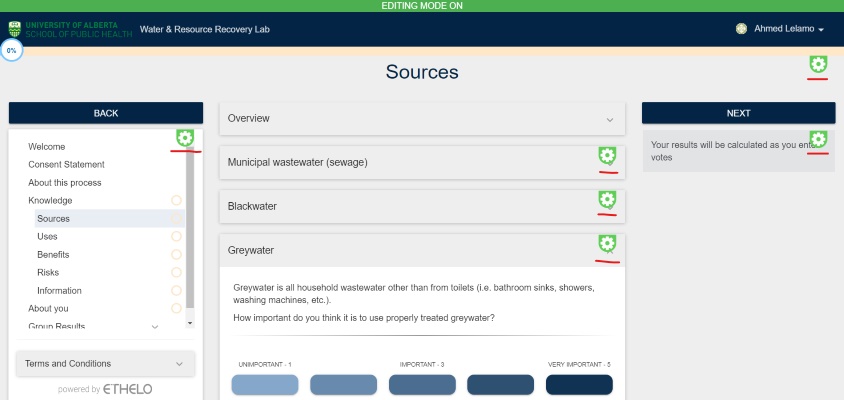
- Click on the top-right of the browser where the Admin name will be located and select "Go to Editing Mode". This will unlock "Editing mode" which gives your browser direct access to the specific section of the Admin Panel you would like to configure. You can do this by clicking on the gear icon highlighted in green, which will take you to that specific section of the Admin Panel.
Here is how the browser looks like on "Edit Mode":
NOTE: To access the Admin Panel through the browser by utilizing the above two methods assumes that an Ethelo Decision has already been created and that it contains Pages that can be viewed on the browser. But you may not have created a Decision yet; we will learn how to create a new decision in the next article.
Browser-Admin Panel Correlation
As an Administrator, it's important to understand the relationship between the Browser (where your Decision will be visible to participants) and the Admin Panel.
The Admin Panel is where you can build and manage your Decision. Each section in the Admin Panel will correspond with a particular configuration you can make on your Decision and the consequent change that can be viewed on the browser.
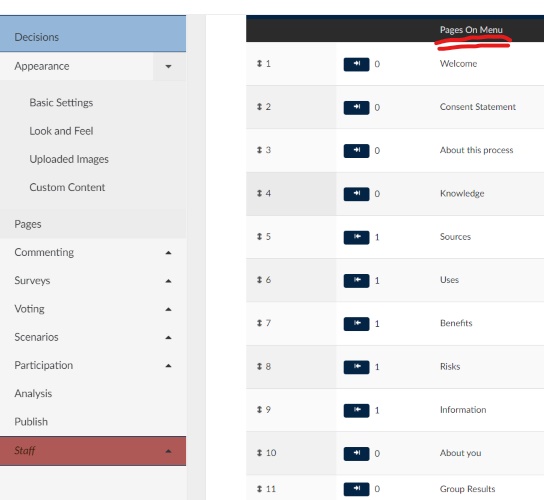
A clear example that demonstrates the browser-admin panel correlation is the pages Manu located on the LHS of the browser and the corresponding Pages Panel on the admin panel. Notice that each of the pages on the Admin Panel are also displayed on the Browser Manu.
Here are 2 images from a previous Decision that display the browser-admin panel correlation:
Browser Menu

Admin Panel
Admin Panel Sections
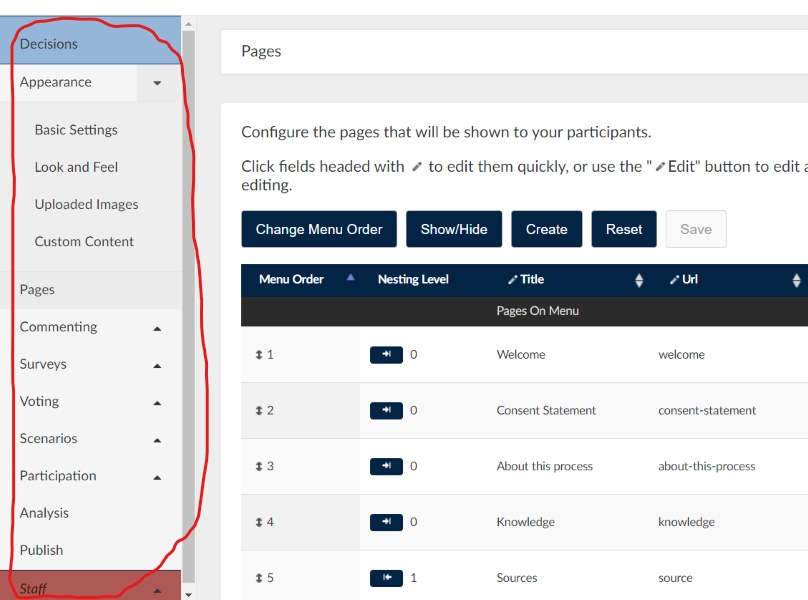
The Admin Panel is divided into sections. Each section plays an important role in making your own customized Ethelo Decision project.
Each Admin Panel section comes with a drop-down menu where you can access the different components of a particular section and make the necessary configuration.
Here is how it looks:
In the following articles, you will learn how to use each of the Admin Panel sections; beginning with how to create a new Decision.