
A Topic is a group of options organized together under a unifying concept, which is the title of the topic. Topics are non-overlapping; an option can only belong to one topic.
A Topic slider is also a group of options organized together under a unifying concept with the exception that the options in a Topic Slider are arranged across a slider as opposed to across a page. For example, the Topic Slider with the title "Housing Units" may be used to group different amounts of housing units along with their associated Option Attributes, like cost, square feet, number of rooms...etc. Participants can move the indicator on the slider to chose their preferred option.
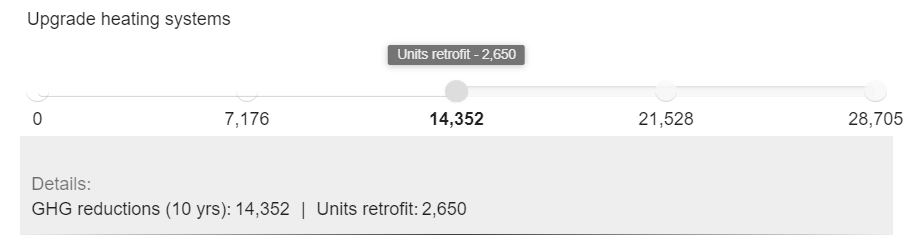
Multiple Topic Sliders can be placed on one Topic Slider Voting Page.
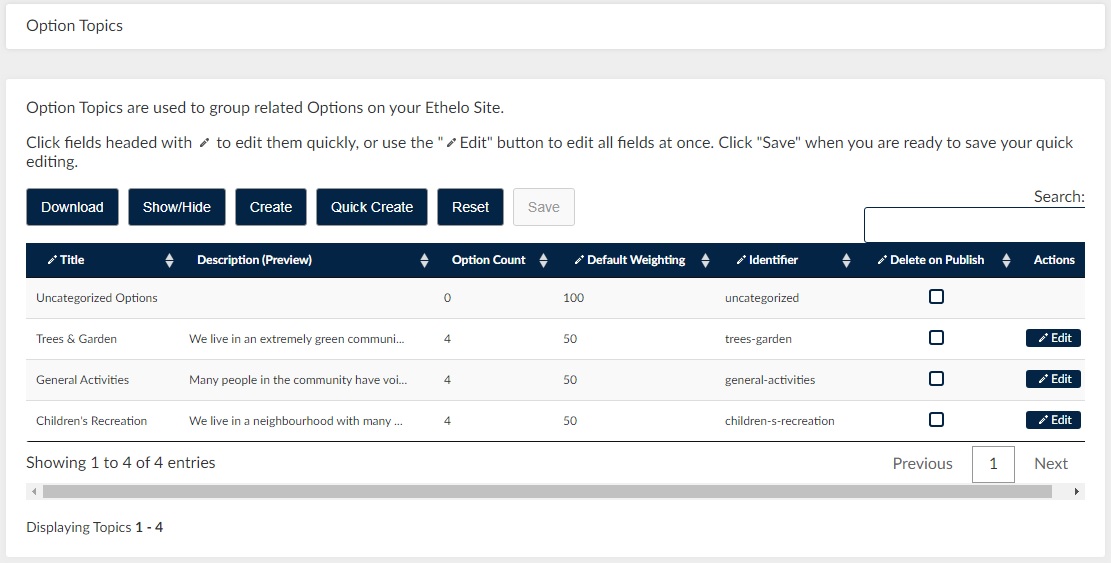
To create a Topic Slider access Option Topics, by going to Voting >Option Topics in the Admin Panel.
Weights
When options are grouped into multiple topics, the topics will carry relative weights. Topic weights can be set centrally by the administrator, or by individual participants using a slider scale. The default Topic Weight is 50.
Topics can appear in various ways, depending on the kind of page and view.
- Topic Page: Criteria appear as the likert voting scale inside each Option Panel.
- Topic Weighting Page: Topics appear as sliders that can be used to divide a pie-chart.
See also: