
Ethelo enables you to customize the look and feel of your project to comply with your brand's design guidelines.
You can:
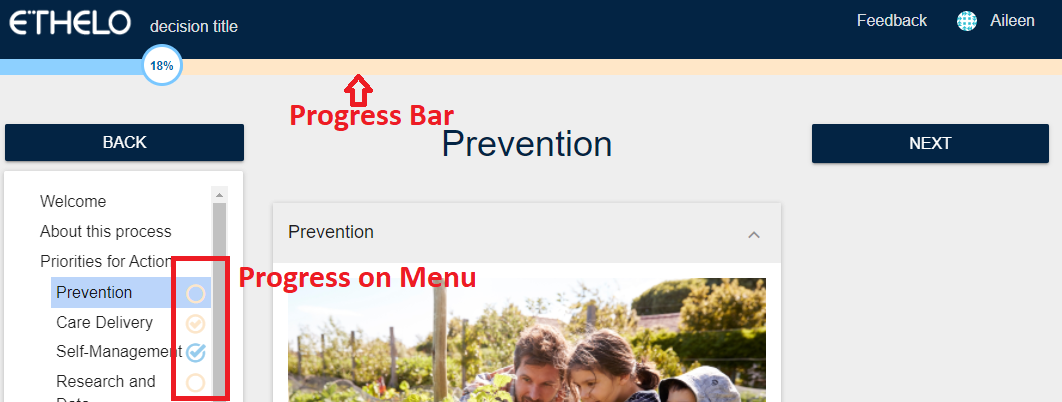
- Enable or disable the Progress Bar on the top of your project pages. The progress bar allows users to track their progress through the project.
- Include the ability to place a progress tracker on the navigation menu on each of your project pages that requires participant interaction (i.e., Voting pages, Survey pages). This would allow participants to differentiate which specific pages they have completed and not completed.
- Choose where to display the 'Next' button on your project. You can decide if you want to show the ‘Next’ button at the bottom of your page, on the side panel, or both.
Navigate to Appearance > Look and Feel > Progress Bar tab to change these settings. And make sure to click the ‘Save’ button to save the changes you have made.
Items included on the progress bar
By default, all input from all survey and voting pages is counted on the progress bar. However, the decision administrator can decide not to include a specific page on the progress bar tracking.
This setting can be configured on the Completion Requirements tab found on each Page template. Please read the Completion Requirements page for more information.