Step 1. Configure
The first step for any Ethelo process is for the administrator to configure an Ethelo project using the Admin Panel. This configuration is often done by customizing an existing template (see Self-Service Templates). The User Guide explains all the different tools and functions available for configuring an Ethelo project.
Once the Ethelo project is configured, people can participate.
Step 2: Join
The first step for a participant is to join the Ethelo project and register. Each project has a custom URL, and Ethelo allows a variety of registration levels, depending on how private or public the process is:
- Email invitation only (private)
- Register to see and participate
- Open to see, register to participate
- Login-free
Login-free processes do not require registration. In those cases, Ethelo can monitor activity to filter out robots or duplicate entries, and ensure data integrity
Example of invitation email and login screen:

Step 3: Navigation
Once a participant has joined a project, they move through the various pages from beginning to end by clicking the "next" and "back" buttons. Each page contains various tasks for the participant to complete; learning, voting, commenting, et cetera.
The various pages are listed in the menu that appears on the left-hand side. As each page is completed, a partially or fully complete check-mark will appear next to the corresponding page on the menu.
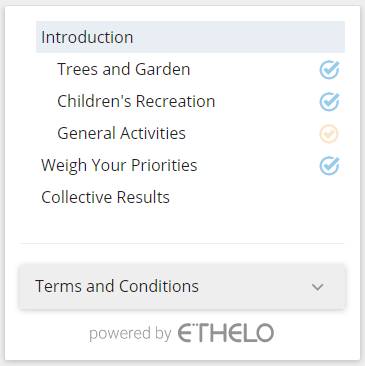
a progress bar on the top of the page indicates how much of the overall process has been completed.

Step 4. Survey
Ethelo provides a standard set of survey tools that can be used to gather information from and about participants.
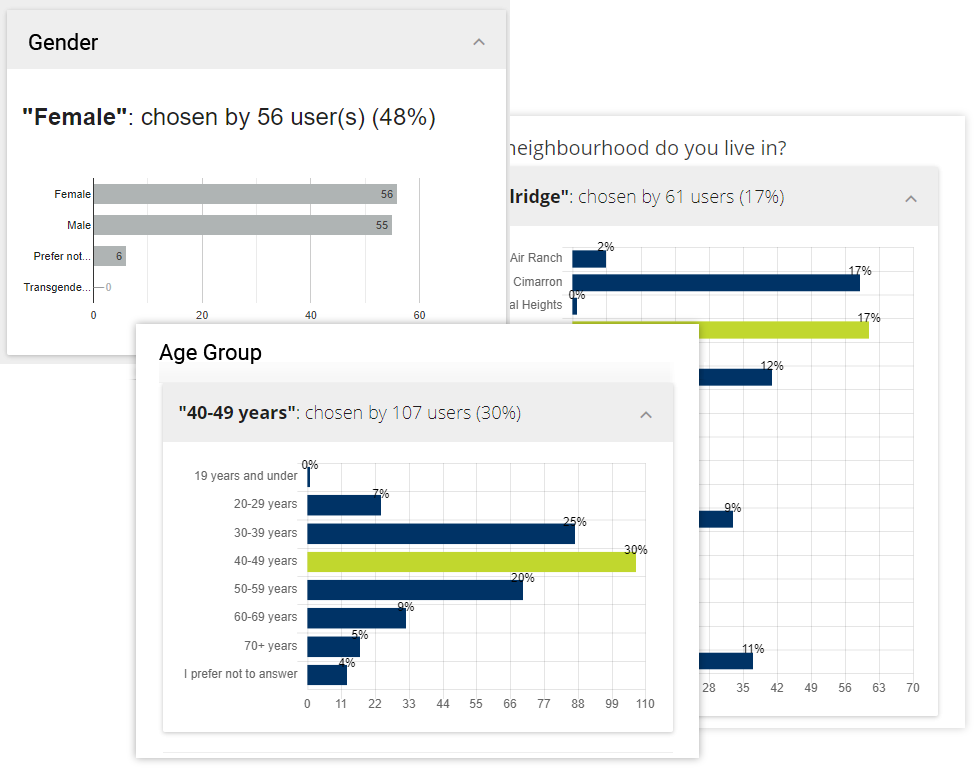
Survey information can be used to re-balance the data sample and ensure decision outcomes accurately represent the general population, even when participants are not a representative sample.
The results of the survey can be shared later in the Ethelo process to ensure transparency and satisfy people’s curiosity.

Step 5: Learn
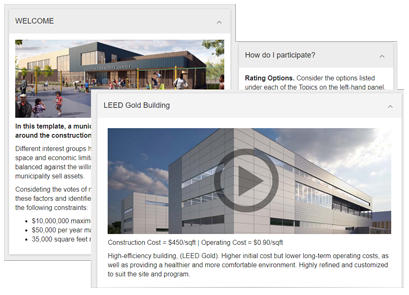
Participants learn about the decision process using a variety of media and panels, including text, pop-ups, images, and videos.
In particular, participants learn about the options which can form part of the final decision. There can be dozens of options, grouped into different topics.
In this example, “LEED Gold” is an option in the “Construction Style” topic.
Step 6: Evaluation
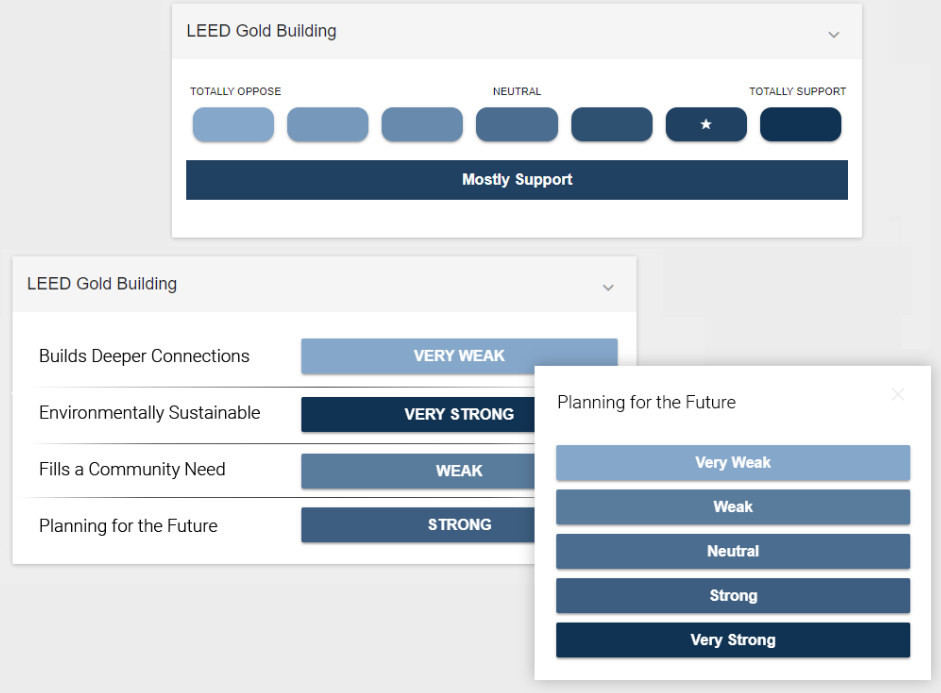
Participants can evaluate each of the options by rating it on a likert voting scale. The number of buttons on the scale can be adjusted based on how granular the feedback needed.
Participants can rate the options against a single criteria, for example oppose-support, or against multiple criteria. Four criteria are shown in this example.
There may be many options in a given consultation. Participants can complete some, or all of them.
Step 7: Discussion
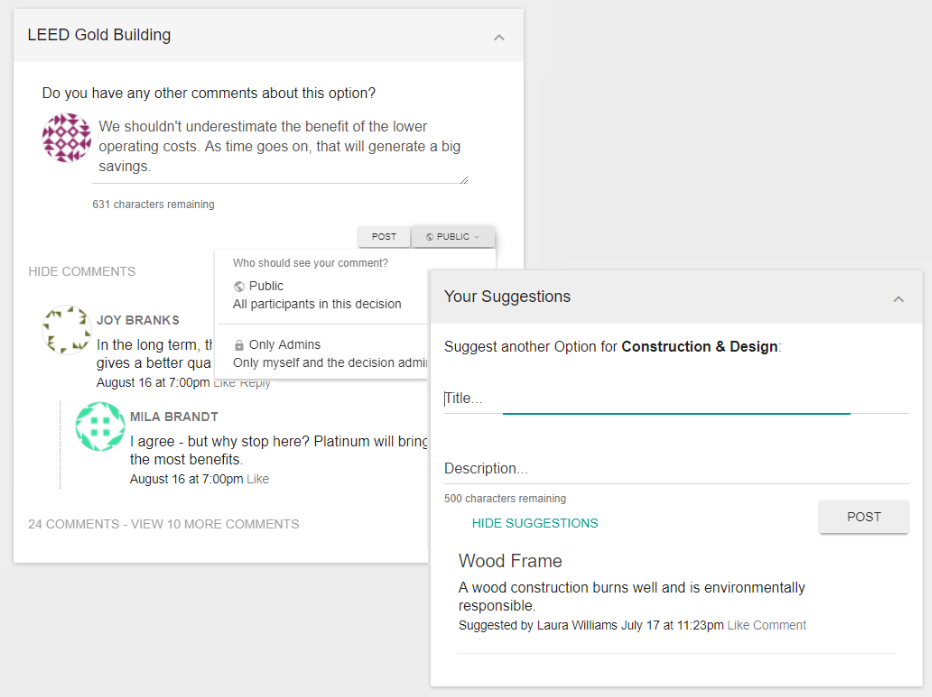
Participants can discuss dozens of different options and topics, replying to and liking comments in the same way as a social media platform.
Comments can be made publicly or privately, and in some situations, anonymously.
Participants can also add ideas and suggestions, which can be approved by the admin and added as options.
Step 8. Weigh priorities
Participants can weigh the relevant importance of different topics (which are groups of options) or different criteria (which are ways of evaluating options).
The relative weights provided by a participant will have an impact on the results that participant generates and their influence on the collective results.

Step 9: Real-time Feedback
The Ethelo algorithm tracks the way each participant evalutes on the options and weights the topics and criteria.
This information is then used to show, in real-time, which decision scenario will best match the participants preferences. This “optimal” scenario is shown in the Top Choice panel.
Ethelo ensures that the Top Choice meets any logical constraints as well as practical constraints like cost.

Slide 10: Optimize My Results
Participants are able to adjust their Top Choice result by adjusting the votes and weights.
In this way, each participant uses the tools and the feedback shown in the Top Choice panel to identify their optimal decision outcome.
Participants must often make trade-offs to identify optimal choice. Often “ideal” outcomes are not possible because all outcomes must obey the constraints.


Step 11. View Survey Results
Participants can see the results of the survey, updated in real-time.
This transparency is important for creating buy-in, as well as rewarding participants who gave their time and who are generally curious about who else participated.

The Ethelo Engine
The Ethelo Engine works by analyzing all the potential combinations of options that satisfy the constraints. A complex decision can generate millions of these “scenarios.”
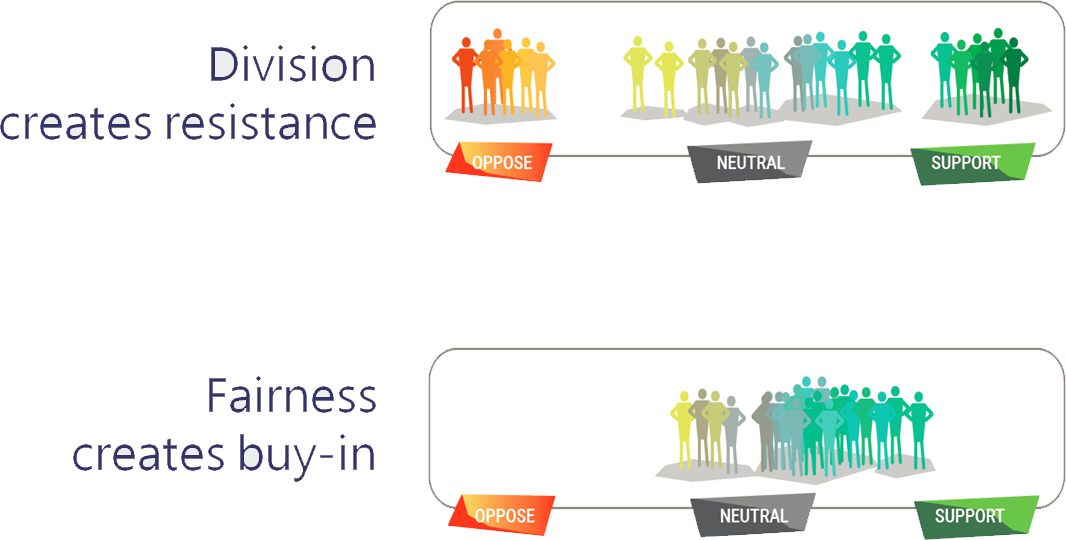
Ethelo then analyzes the distribution of support for each scenario, based on the vote and weight data participants have provided.
Ethelo displays the best scenarios on the results page. When broad support is important, it is able to find scenarios where satisfaction is distributed fairly across all the participants.

Step 12: Collective Results
The Collective Results is most important page of the Ethelo process.
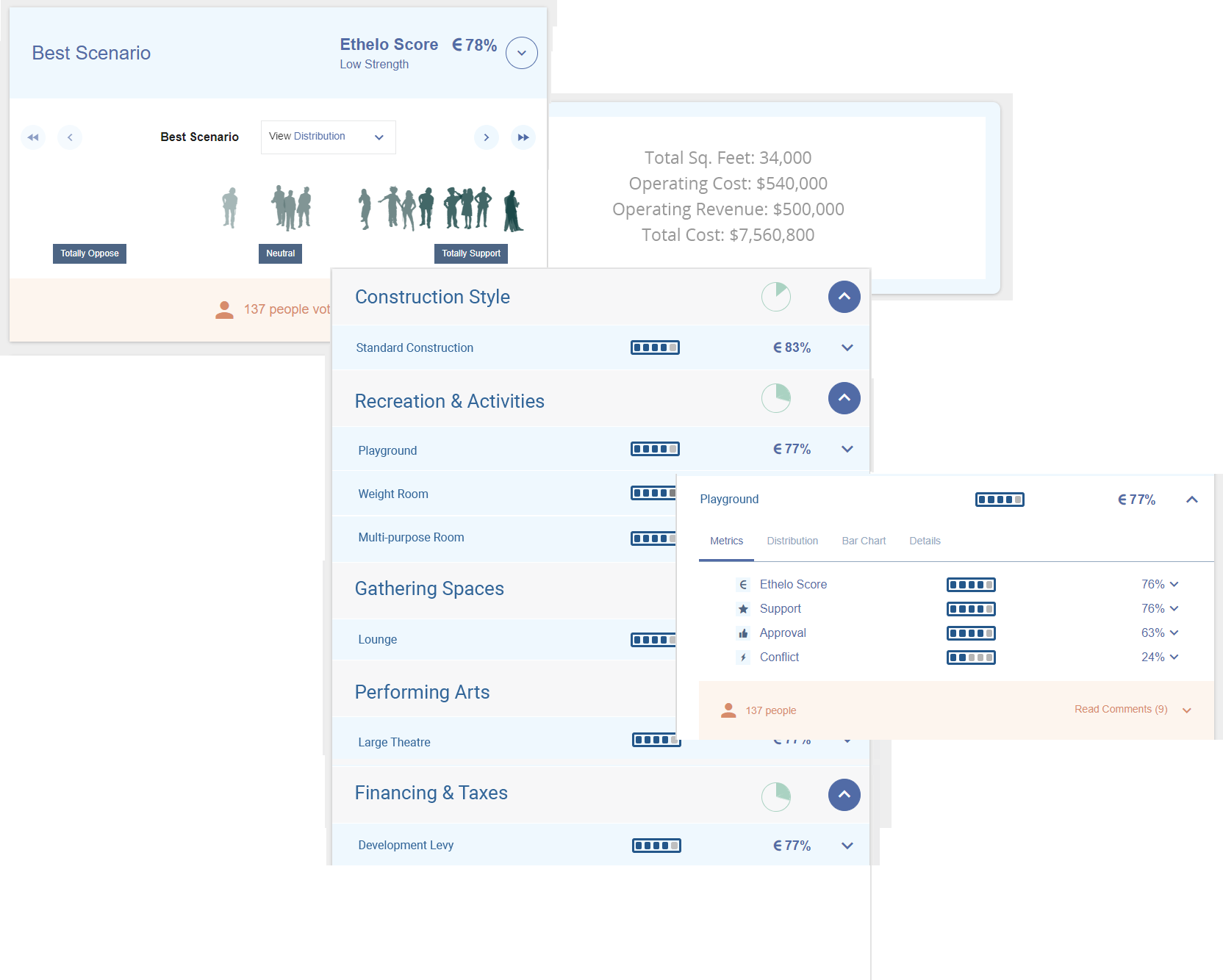
This page shows the strongest decision, based on the inputs of all the participants. That decision is shown along with its distribution of support from group, and the general details and description.
Participants can click to explore the results, and see different metrics and visualizations.
Participants can also explore other top-ranking decision outcomes - and see the worst outcome as well.

Reap the Benefits of Collective Wisdom
Learn how you can use Ethelo’s advanced group decision technology to solve problems and create buy-in among your stakeholders!
Contact us for a free demo: