
Ethelo enables you to create your own customized survey.
You can do this in 3 simple steps:
Step 1 - Create Question Groups:
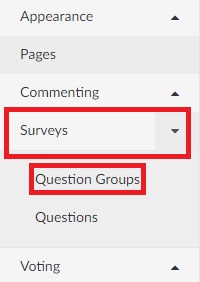
Survey categories can be created by navigating to the Question Groups tab, under the "Survey" drop-down menu. Here you can group your questions for display or analysis.
Step 2 - Create survey Questions:
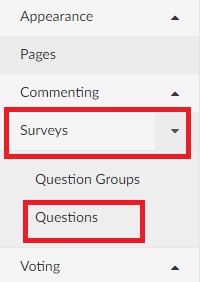
Navigate to the Questions tab that can be found under the "Survey" drop-down menu. This page allows you to create your own custom survey questions and the type of answer responses required. Survey questions can be used to gather demographics or other information from your participants.
Survey questions are grouped in categories called "Question groups", which must be created (or selected from existing groups) in order to successfully create the survey questions.
Step 3 - Create a Survey Page:
The Survey Page is for creating your own customized survey page to be displayed in the web browser. On this page, you can edit the survey title, Url identifier and the background information participants will need before filling out your survey.
Once the Survey page is created, you will need a page where the results are displayed for participants to view.
Tips:
- If you do not want the participants to view the survey results, select "Pages" on the left-side menu. Then, drag the survey results page below the "Pages Not on Menu" part, and select Save.
- The Survey Results page displays graphs that allow participants to view how the group as a whole answered the survey questions.
On this page, you can customize the content that participants will see, such as the title, Url identifier, and background information. The actual Survey results will be automatically added once this page is created and updated.