
The Ethelo logo on the left-hand side at the top of the page is the default logo but can be replaced by your logo.
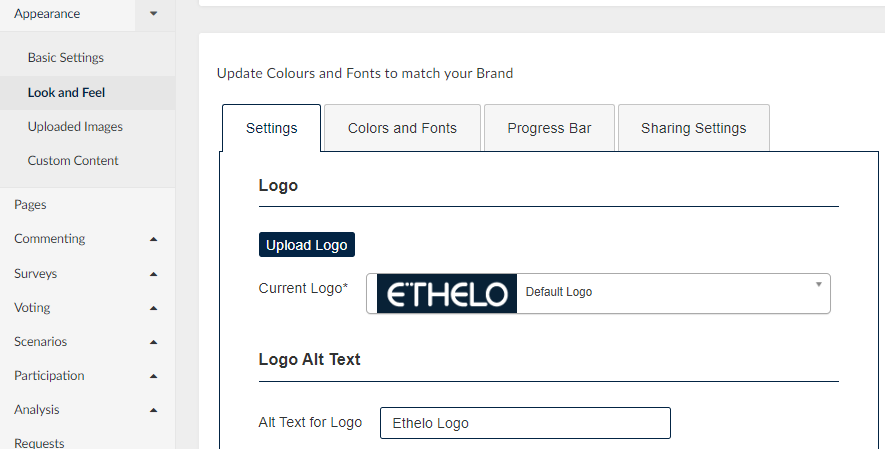
You can find this setting in the admin panel by navigating from Appearance > Look and Feel > Settings tab > Logo section.
Click the ‘Upload Logo’ button to upload your logo image, and the image will be available for selection when you click the drop-down arrow.
Don’t forget to add your logo name on the ‘Alt Text for Logo’ field. The alternative text is the text the screen reader reads to identify what your logo refers to.
Some best practices to follow:
- Create a PNG or GIF with an image aspect ratio of about 4:1 or 5:1.
- Ensure the PNG is at least 30 pixels high
- Ensure the logo portion of the graphic is white and the remainder is transparent; this will allow the selected background color to show smoothly.
Make sure to click the ‘Save’ at the bottom of the page after making your changes.