
Main Colours
Ethelo enables you to customize the look and feel of your project to comply with your brand's design guidelines.
- Primary Accent Color is the color used for the top header bar, the ‘Next’ and ‘Back’ buttons.
- Secondary Accent Color together with the Primary Accent color will define the colors used for your Likert buttons.
- Navigation Current Page is the color used on the menu on the left-hand side of the page to indicate the page the participant is currently in.
- Navigation Highlight Color is the color used on the menu on the left-hand side of the page to indicate the page the participant is hovering over with their cursor.
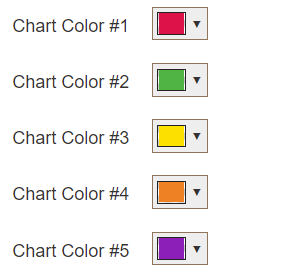
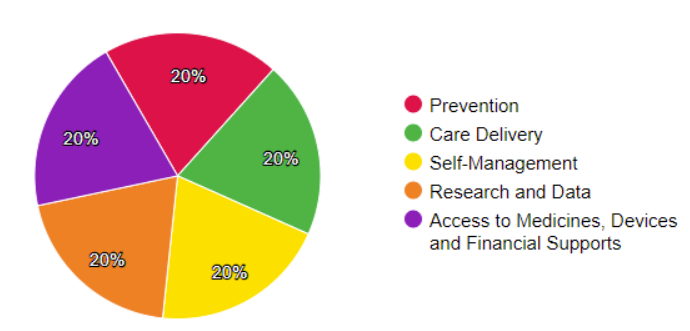
- Chart Colors are the colors used for any pie chart used on the decision page. The pie charts are used on the Weighting page and an Info page with Tax Assessment Property.
On the Admin panel:
On the Weighting page:
You can change these settings in the Admin panel by navigating to the Appearance > Look and Feel > Colors and Fonts tab.
Fonts
Decision administrators can also change the font used on their projects to meet their design styles.
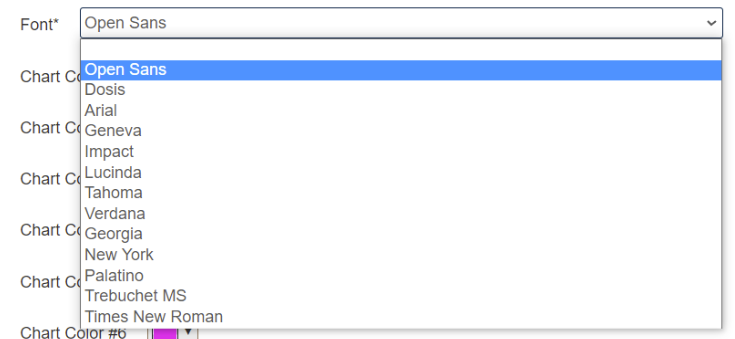
Navigate to the Appearance > Look and Feel > Colors and Fonts tab to change the font used on the project. Changing the font style will change the font for all the written content of your project pages.
Make sure to click the ‘Save’ button after you have made your changes.